Seamless Gantt chart planning at zero cost
Gantt Zero is a local-first, privacy-focused workspace for creating Roadmaps and Gantt charts that syncs with your Google Drive and is completely free of subscriptions.
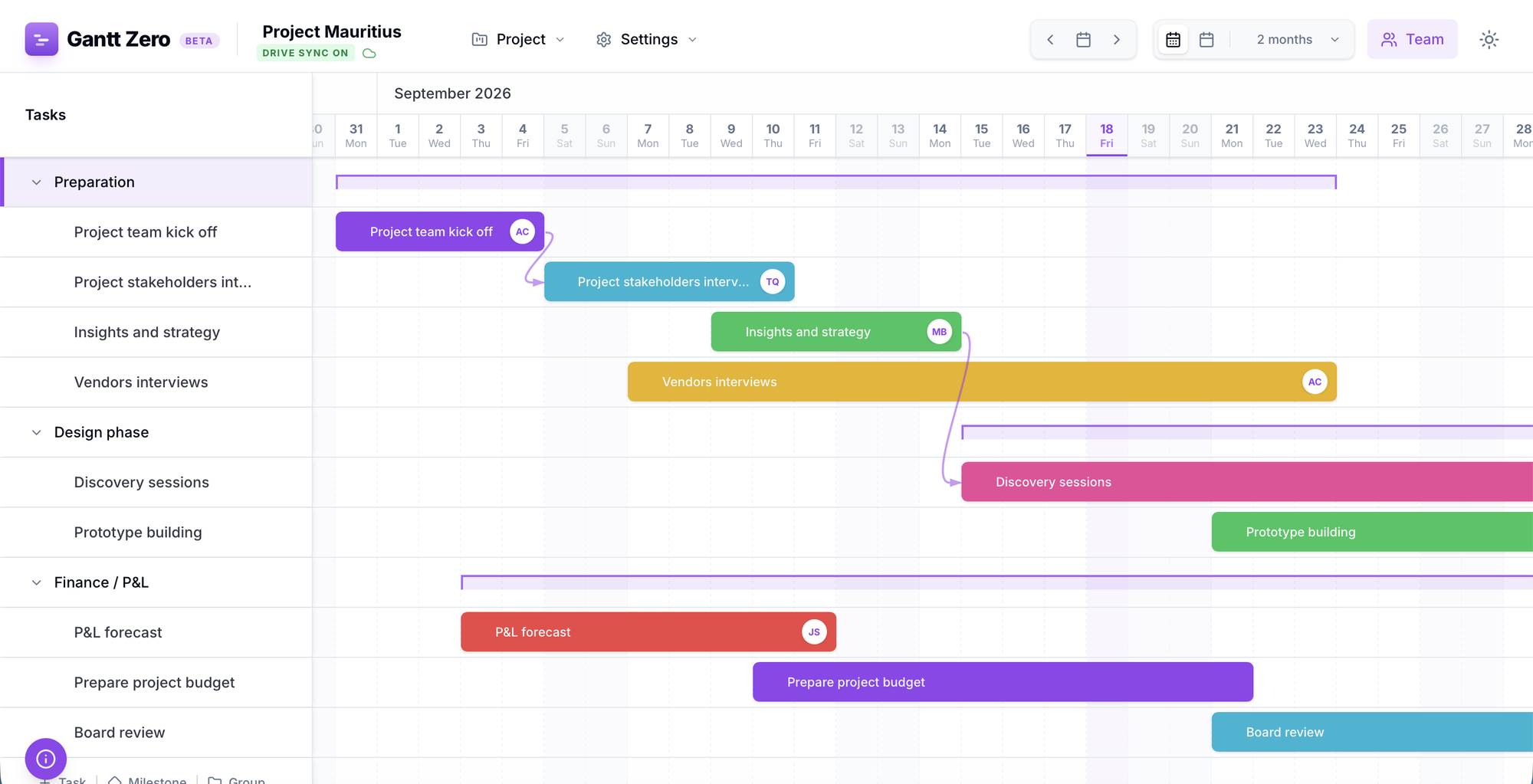
Application features
Everything you expect from a modern roadmap tool. Zero compromises.
Complete and easy to use roadmap management
Create tasks, nested groups and key milestones, assign your team, and then just drag. Move bars, stretch durations, link dependencies, all directly on the chart.
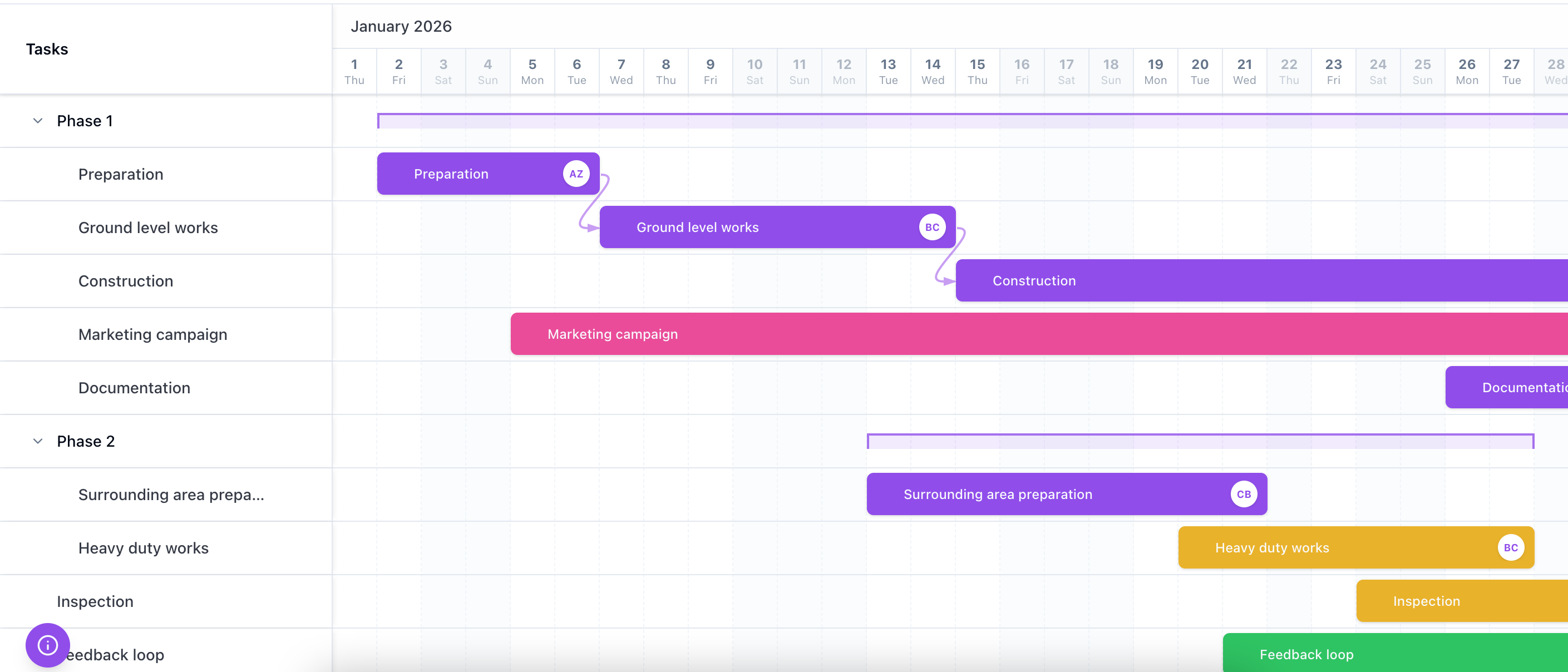
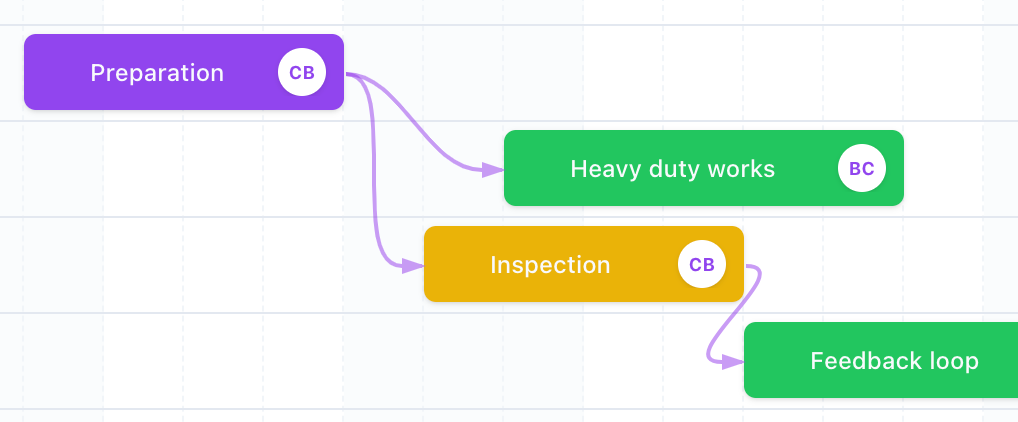
Manage and track dependencies in your timeline
Build relationships between elements. The optional Auto-Scheduling mechanism automatically shifts the entire right-side roadmap if a preceding task gets delayed.
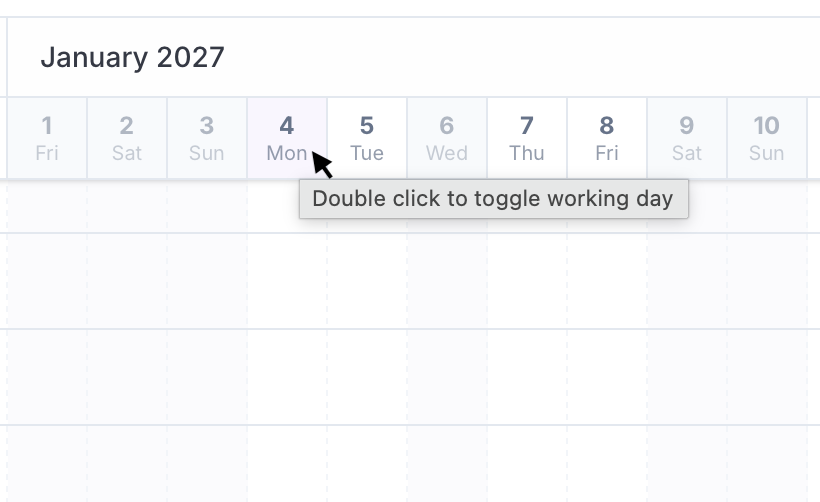
Holidays and non-working days, built into the schedule
Double-click any date in the header to mark a holiday or a company day off. Task durations and auto-scheduling skip those days automatically, so your deadlines reflect the real calendar – not just a count of days.
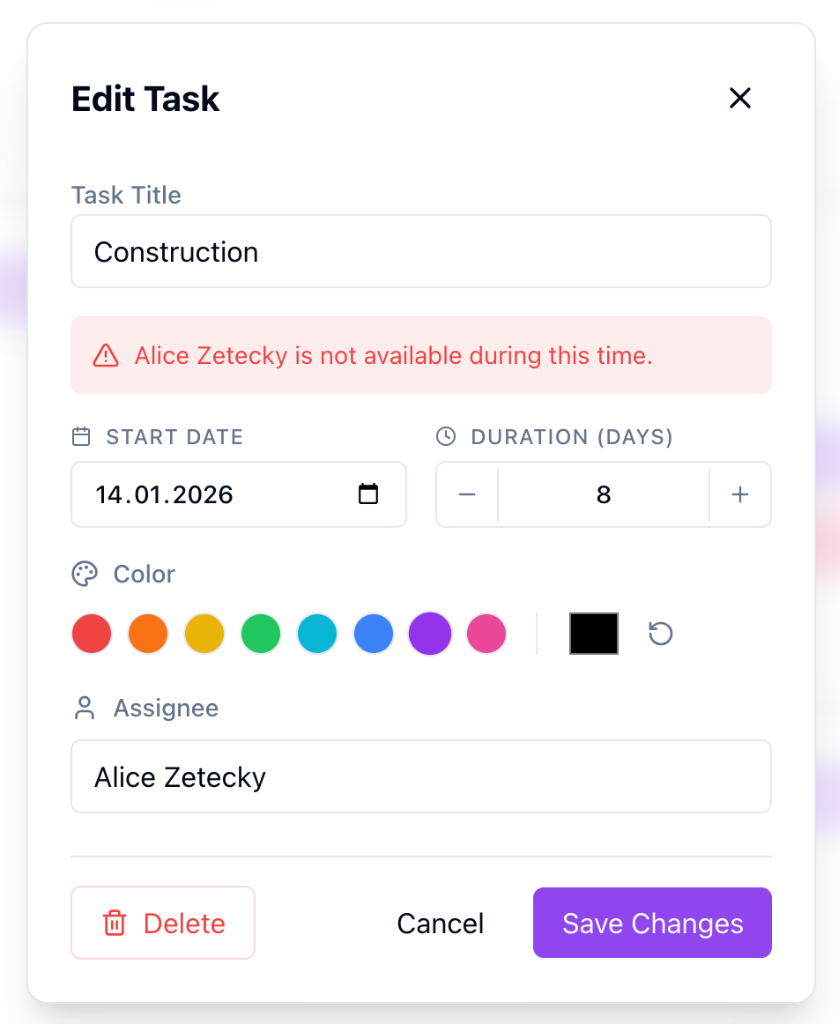
Optimize task allocation and monitor resource conflicts
It's easy to overbook someone when the plan grows. Gantt Zero catches it for you and shows the conflict right there on the timeline.
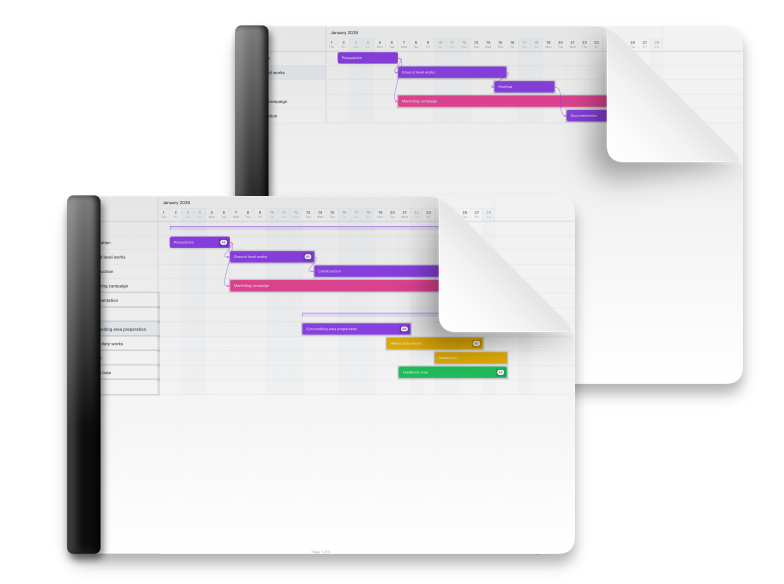
Export to PDF and Print – Clean, without watermarks.
Whether you're presenting to the Board or showing the schedule to your on-site team. In a few seconds, generate a print-ready PDF file that perfectly preserves the vector sharpness of the Gantt chart.
Independent Hosting
Your data is yours. Forever.
Gantt Zero stands apart from commercial competitors via its architecture. Our application does not have servers storing your data. Your roadmaps and corporate secrets stay with you.
-
Browser / Local File
By default, your projects are saved in your browser's local storage. If you prefer, download the project file to your own drive or sync it with your Google Drive. Gain 100% peace of mind regarding corporate regulations (GDPR, Non-US standard policies, China).
-
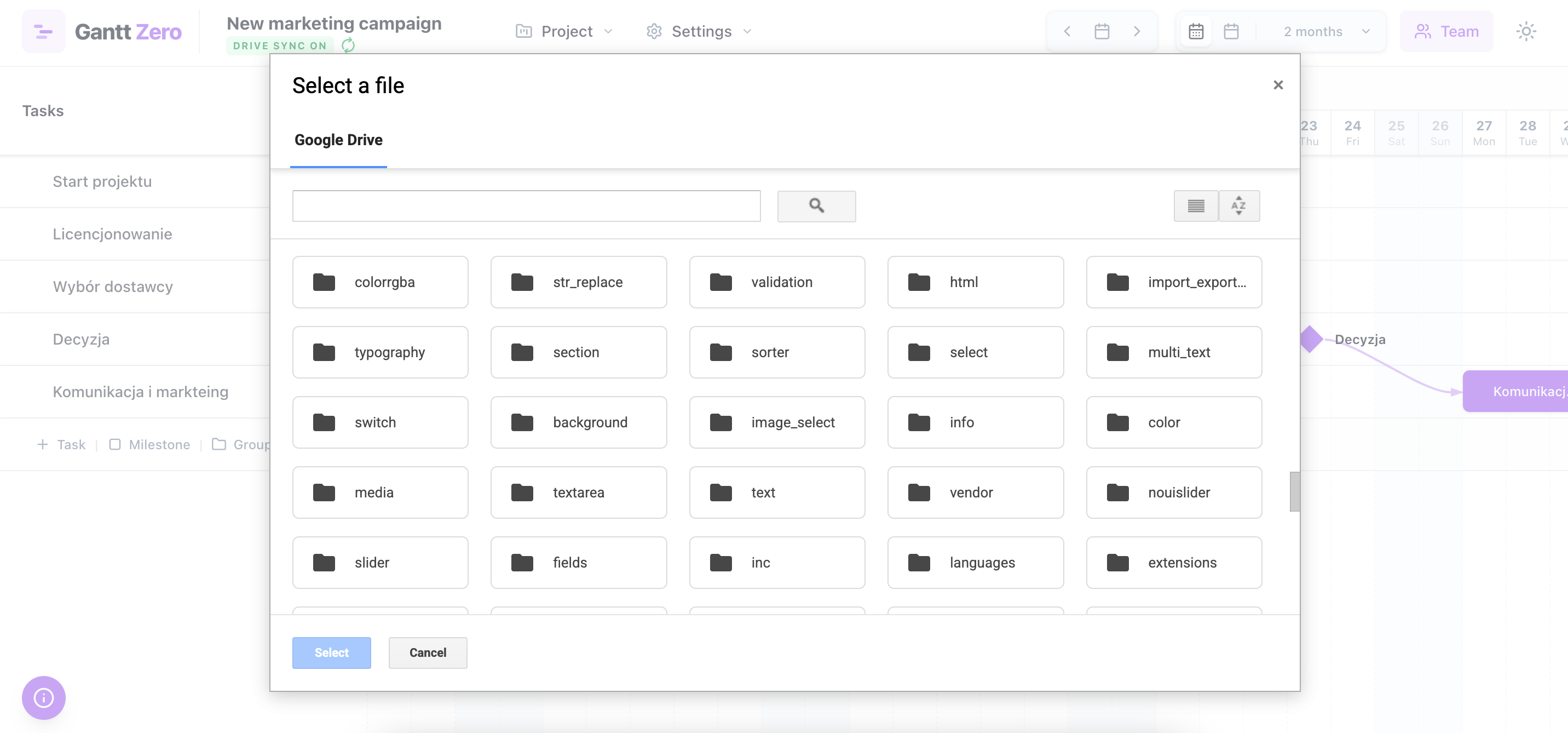
Centered around Google Drive
After a 10-second authentication, the app syncs directly to your Google Drive folder, backing up milliseconds after every change.
Our Manifesto
Digital philanthropy is back
Every time I needed to plan a project, I hit the same wall. Even for a single person, on my own projects, the free plan ran out fast: a cap on the number of tasks, a watermark on every printout, holidays and team management locked behind "Pro". The tool I actually wanted always sat one paywall away.
So I stopped looking and built one. The tool I needed on my own desk, every week.
"I built the app I wanted to use myself. Uncomplicated, blazing fast, beautiful. Iteratively refined from an MVP to a production-ready app. And I am giving it away completely for free. For ZERO cost."
Gantt Zero is free on purpose. Not every useful tool needs a subscription – some can simply be shared, the way tools were in the early days of the internet. Zero fees. Maximum execution.
Who are we building this for?
Corporate Employees
Don't have a license for behemoths like MS Project? Work in Gantt Zero keeping JSON files on your local computer – never violating enterprise policies on third-party cloud data extraction.
Contractors & Small Biz
Architects, installers, interior finishers. Anyone who needs to attach a fast, elegant work schedule to an agreement or present an overview to an investor.
Education & Universities
A brilliant tool for instructors and students to learn how network dependencies and critical paths interact in real-time during semester planning or thesis writing.
Private Use
Planning a home renovation? Your wedding? A large DIY hobby project? So far, professional tools were simply too expensive for a single-person license needs.
The Final Pricing.
Zero hidden fees, zero Pro tiers.
"Typical Tool" Plan
- Gantt charts
- Your data on vendor's servers
- PDF export behind a paywall
"Zero" Plan
- Unlimited tasks & nested groups
- Unlimited watermark-free exports
- Seamless Google Drive sync
- Data locally encrypted on your device
Our business model? Currently seeking organizations looking for custom "on-premise deployments" or subtle, un-intrusive sponsorships, keeping our core platform flawlessly untaxed for the digital citizenry.
FAQ
Frequently asked questions
Everything you need to know about pricing, privacy, Google Drive sync and the features Gantt Zero offers for planning complex projects.
Is Gantt Zero really a free Gantt chart tool?
Yes — Gantt Zero is a completely free Gantt chart and roadmap tool with no Pro tier, no per-user fees and no trial period. Every feature — task dependencies, auto-scheduling, team assignment, holiday management and PDF export — is included at zero cost, for personal and commercial projects alike. Gantt Zero has no servers to pay for, so it has nothing to charge you for.
Do I need an account or sign-up to create a Gantt chart?
No account, no sign-up and no email are required. Gantt Zero is an online Gantt chart maker that opens directly in your browser and lets you start planning immediately. The only optional login is Google sign-in, used exclusively if you choose to sync your project file with your own Google Drive.
Where is my project data stored? Is Gantt Zero privacy-friendly?
Your project data never leaves your device unless you decide to save it to your own Google Drive. Gantt Zero has no backend servers and no central database: roadmaps live in your browser's local storage or in a JSON file on your computer. The website and app set no cookies and use no tracking identifiers — the only analytics are anonymous, cookieless and aggregate. This makes Gantt Zero a GDPR-friendly choice for corporate roadmaps and confidential planning.
How does the Google Drive integration work, and is it secure?
Gantt Zero connects to Google Drive using the restricted drive.file scope, which means it can only read and modify files it created itself — never your other documents, folders or photos. Your project is saved as a plain JSON file in your Drive and backed up automatically milliseconds after every change. The authentication token stays in your browser, and you can revoke access at any time from your Google account settings.
Which Gantt chart features does Gantt Zero offer for managing complex projects?
Gantt Zero covers the full feature set expected from a professional Gantt chart tool: nested task groups, milestones, task dependencies with optional auto-scheduling, team member assignment with resource-conflict detection, holidays and non-working days, day and week timeline views, and a print-ready PDF export without watermarks. Projects can be imported and exported as JSON, so your roadmap is portable and never locked in.
How do task dependencies and auto-scheduling work?
You link tasks so that one cannot start before another finishes, and the optional Auto-Scheduling mechanism keeps the plan consistent for you. When a preceding task is delayed, every dependent task on the right side of the roadmap shifts automatically — no manual re-dragging of dozens of bars. Auto-scheduling can be switched off if you prefer full manual control.
Can I manage a team, holidays and non-working days in Gantt Zero?
Yes — Gantt Zero includes team management and holiday management as core features. Assign team members to tasks and a built-in resource-conflict system warns you when the same person is scheduled on parallel tasks. Mark public holidays and company non-working days on the calendar, and they are excluded from duration and scheduling calculations, so deadlines reflect real working days.
Is Gantt Zero a good alternative to Microsoft Project, Excel or paid SaaS tools?
For project planning and roadmap scheduling, yes: Gantt Zero is a free alternative to Microsoft Project, Excel Gantt templates and subscription tools such as TeamGantt, Monday.com or Asana Timeline. It focuses on doing the Gantt chart itself exceptionally well — dependencies, auto-scheduling, resources, holidays and export — rather than on being a full enterprise PPM suite, so you will not find time tracking, budgeting or ticketing here. Because it stores nothing on third-party servers, it also fits corporate environments where cloud SaaS tools are not permitted.